Home/Blog/img2threejs: turning one image into editable Three.js code
human + AI workflows
img2threejs: turning one image into editable Three.js code
img2threejs: a closer look at image-to-Three.js generation img2threejs is presented as a code-first way to turn a single reference image of an object or character into a procedural
15 MIN READ
01 Aug 2026
human + AI workflows
img2threejs: a closer look at image-to-Three.js generation
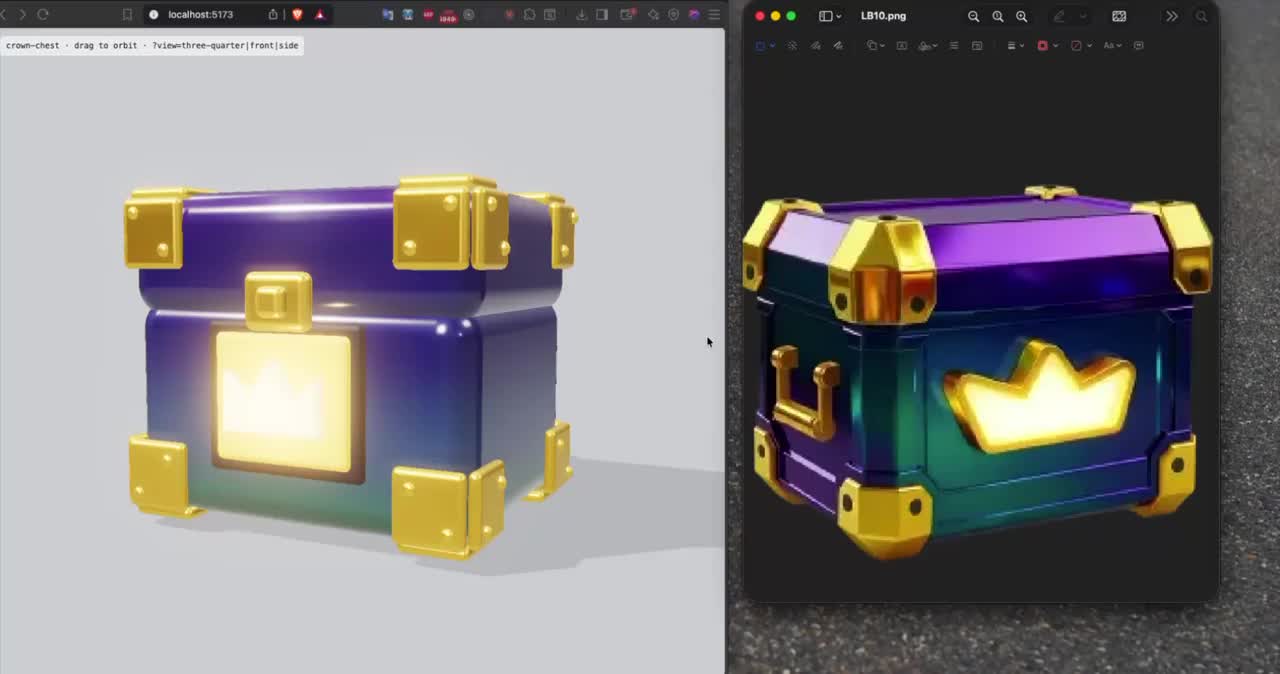
img2threejs is presented as a code-first way to turn a single reference image of an object or character into a procedural Three.js model. Based on the analyzed sources, the core idea is straightforward: you provide one image, and the tool produces a THREE.Group factory written in TypeScript that recreates the subject from primitives. That can be useful for teams looking for a fast path from visual reference to reviewable 3D code.
For AI offices like Nonilion, that can matter because the output is not only a visual asset. It is also something that can be inspected, adjusted, and iterated on in a shared workflow.
01
What img2threejs is: a practical definition of image-to-Three.js generation
Want your team to run this workflow with AI-native execution?
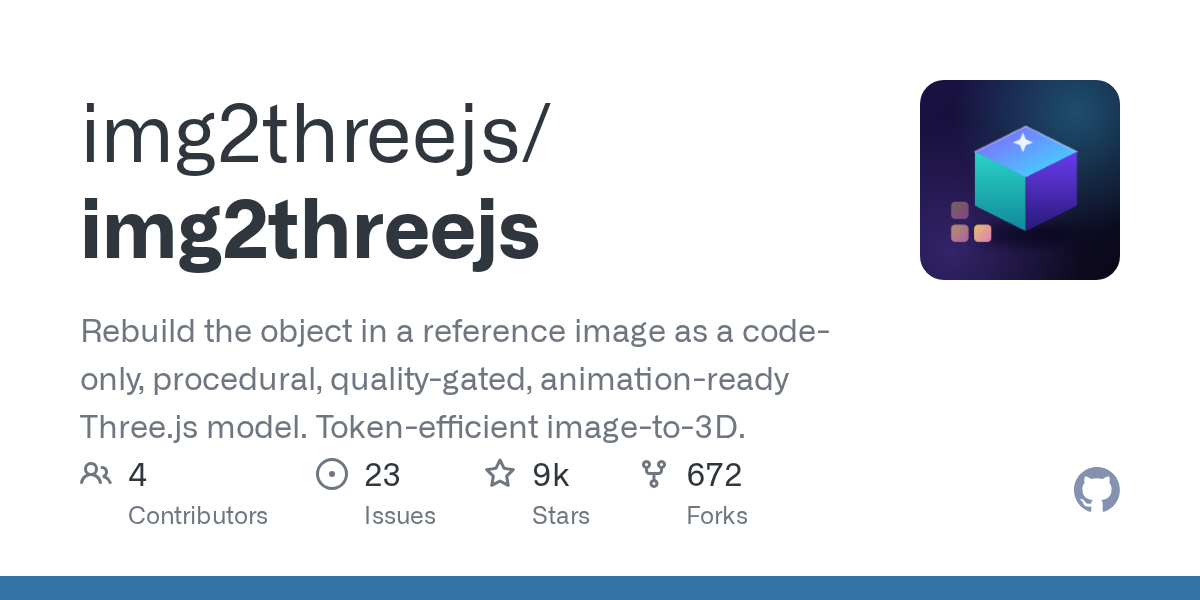
At a practical level, img2threejs can be understood as an image-to-Three.js generator. The analyzed repository description says it takes one reference image and produces a THREE.Group factory in TypeScript that rebuilds the object from primitives. The live demo gallery describes the result as quality-gated and animation-ready.
That distinction matters. Many image-to-3D tools focus on producing a model file, while img2threejs focuses on generating code that can fit into a Three.js workflow. In other words, the asset is not only something to render; it is also something to read, review, modify, and integrate.
The practical value is that the output fits the way frontend teams already work with Three.js. Since Three.js is the JavaScript 3D library referenced in the sources, img2threejs sits within that ecosystem.
Why the code-first format changes the workflow
A code-first output can support a few practical workflows:
It can be versioned like application code.
It can be reviewed by developers and designers.
It can be tuned for a specific scene, interaction, or animation need.
It can be reused across pages, prototypes, and product experiences.
This is why the phrase “a skill that turns a single image into editable Three.js code” is useful as a shorthand for the category. It signals that the goal is not only generation, but editability.
02Why img2threejs matters now for code-first 3D assets
The sources point to a shift from static reference images toward deployable 3D assets for the web. That matters because teams often need browser-friendly 3D experiences rather than offline-only assets.
The Three.js deployment source emphasizes viewer-ready models optimized for smooth interaction and fast web rendering. It specifically references lightweight glTF and GLB assets, Draco compression, baked textures, and low draw-call geometry as part of the optimization mindset. Even though img2threejs is code-first rather than file-first, similar web-performance concerns still apply.
This is where img2threejs can be strategically useful. It helps teams move from “we have one image” to “we have a reviewable 3D implementation” without waiting for a fully manual modeling cycle.
When the timing is right
img2threejs is most relevant when:
You have a single strong reference image.
You want a procedural Three.js result rather than a static asset handoff.
You care about editability and code review.
You need a quick prototype or a web-facing showcase.
You want to iterate with both human judgment and AI assistance.
That last point is important for Nonilion-style collaboration. In an AI office, an AI agent can draft the first pass, while a designer or developer checks proportions, readability, and whether the output is good enough for the intended use.
03How img2threejs works: image, primitives, and generated TypeScript
The sources describe a straightforward workflow. A single image is used as the reference, and the system rebuilds the subject using primitives inside a generated TypeScript THREE.Group factory. The live demo gallery also frames the result as quality-gated and animation-ready, which suggests the workflow is not just about generation but about enforcing output standards.
GitHub - img2threejs/img2threejs: Rebuild the object in a reference image as a code-only, procedural, quality-gated, animation-ready... · https://github.com/img2threejs/img2threejs
The AI agent skill source adds an important operational detail: “the loop” combines scripts that enforce rules with agent vision that does judgment. That means the process is not purely automatic. It depends on checks, review, and correction.
The working model in plain language
Input: one object or character reference image.
Generation: code is produced to recreate the subject from primitives.
Review: the output is evaluated against quality gates.
Refinement: the model is adjusted if the source image or generated structure is weak.
Output: a TypeScript Three.js asset that can be used in a project.
This is a useful model for teams because it makes the boundaries visible. img2threejs is not magic; it is a structured generation workflow with judgment built in.
What the sources suggest about quality gates
The analyzed materials repeatedly emphasize quality-gated output. The skill page specifically lists gates and self-correction, while the deployment source focuses on performance factors such as polygon count, draw calls, texture resolution, level of detail, shader complexity, instancing, memory management, and animation systems.
Taken together, the message is clear: the result has to be usable, not merely generated.
04When img2threejs is the right tool — and when it is not
img2threejs is a strong fit when the goal is to convert a single reference image into a code-based Three.js asset quickly. It is especially relevant for objects or characters where the source image is clear enough to support reconstruction from primitives.
It is less suitable when the source image is weak, ambiguous, or too incomplete to support reliable proportions. The skill source’s emphasis on gates and self-correction suggests that poor inputs will lead to poor outputs unless the workflow is carefully managed.
Use it when you need:
Fast 3D prototyping from one image.
Editable Three.js code.
A procedural asset that can be reviewed and refined.
A model that can be integrated into a web experience.
A collaborative workflow between humans and AI agents.
Avoid overrelying on it when:
The reference image lacks detail.
The subject requires exact sculptural fidelity.
The scene depends on complex rendering effects beyond the generated primitives.
You need a final asset without any review or iteration.
That balance is important. The best use of img2threejs is not “replace all 3D work,” but “compress the path to a usable starting point.”
05Quality gates for usable output in a browser
The deployment source is useful here because it names the performance dimensions that affect browser rendering. Even though img2threejs is about generating code from an image, the final asset still has to behave like a good Three.js scene.
The main quality gates are:
Geometry that is simple enough for stable frame rates.
Draw calls that do not overwhelm the scene.
Texture resolution that does not strain memory bandwidth.
Level of detail that supports distance-based rendering.
Shader complexity that stays manageable.
Instancing where repeated elements exist.
Memory management that avoids browser crashes.
Animation readiness that does not overload CPU performance.
What “good enough” means in practice
For a team, “good enough” means the generated asset can be opened, understood, and iterated on without creating a performance burden. It also means the model can be used in a viewer, a product showcase, or a prototype without forcing a full rebuild.
That is why the sources’ language around lightweight web-ready assets matters. The output has to be aligned with the browser from the beginning.
A practical review checklist
Before shipping, teams should ask:
Does the shape read clearly from the source image?
Are proportions acceptable for the intended use?
Is the scene performant in the browser?
Can the code be edited by the team?
Is the asset ready for animation, or does it need more work?
These questions are especially relevant in an AI office, where an AI agent may generate the first pass and a human reviewer validates the result.
06Step-by-step workflow for a shared AI-assisted 3D process
A good img2threejs workflow is iterative rather than one-shot. The sources support a loop-based approach with enforcement, judgment, and self-correction.
1. Prepare the source image
Start with a single reference image that is as clear and informative as possible. Since the system rebuilds the subject from one image, the quality of the input matters directly.
2. Generate the model
Use img2threejs to produce the TypeScript Three.js THREE.Group factory. The point here is to get a code-first reconstruction that can be reviewed in context.
3. Review the result against gates
Check the output for geometry quality, browser performance, and visual fidelity. The live demo gallery and skill description both imply that quality gating is part of the workflow, not an optional extra.
4. Iterate with judgment
If the output is weak, refine the source or adjust the generation approach. The sources explicitly frame the process as one where scripts enforce and agent vision judges.
5. Prepare for deployment
Once the asset is usable, integrate it into the Three.js environment with attention to optimization and rendering behavior. The deployment source’s focus on smooth interaction and fast web rendering is the right lens here.
A note for teams using AI agents
In a Nonilion-style shared workspace, an AI agent can handle repetitive checks, summarize issues, and propose refinement steps. Humans then make the final call on proportion, style, and whether the asset is ready for the intended experience.
07img2threejs vs image-to-3D SaaS tools vs manual Three.js modeling
The sources suggest three different modes of working, each with a different tradeoff.
Typically optimized for fast model generation and web-ready delivery.
The deployment source emphasizes lightweight GLB/glTF assets and rendering optimization.
Useful when the priority is viewer-ready output.
Manual Three.js modeling
Highest degree of control.
More time-intensive.
Best when precision, art direction, or scene complexity demand it.
The strategic question is not which one is universally best. It is which one gives the right balance of speed, editability, and performance for the job.
For many teams, img2threejs sits in the middle: faster than manual modeling, but more directly editable than a black-box asset handoff.
08Where teams use img2threejs in production and prototyping
Based on the analyzed sources, the most obvious use cases are objects and characters reconstructed from a single image. That opens the door to several practical scenarios.
Common production-adjacent uses
Product showcases.
Character previews.
Microsites.
Early-stage prototypes.
Internal demos for design and engineering review.
The live demo gallery’s emphasis on animation-ready output makes it especially relevant for experiences where motion matters. The YouTube source also points to the idea of getting from pictures of objects to 3D Three.js in minutes, which reinforces the prototyping angle.
Why this matters for async teams
When a team works asynchronously, a generated asset can become a shared artifact. Designers can annotate it, developers can inspect the code, and AI agents can help summarize what changed between iterations.
That is the kind of workflow that fits a Nonilion environment, where human + AI collaboration is a practical way to move faster without losing review quality.
09What img2threejs means for AI offices like this platform: human + AI collaboration around fast 3D prototyping
This is where the topic becomes bigger than a tool. img2threejs points toward a workflow pattern for AI offices: one image in, a reviewable code asset out, then iterative collaboration across roles.
In a shared workspace, that means an AI agent can generate the first version, a designer can evaluate visual fidelity, and a developer can check the Three.js implementation and performance implications. The result is not just speed; it is a tighter feedback loop between intent and implementation.
This platform fits here as a practical example of how async teams can coordinate around a generated 3D artifact. Instead of waiting for a fully polished asset before anyone can respond, the team can review a code-based model early, leave comments, and continue the loop until the asset is ready.
Why this collaboration model is valuable
It reduces handoff friction.
It makes review more concrete.
It allows AI agents to do the repetitive first pass.
It keeps humans in charge of judgment and quality.
It supports faster experimentation with less overhead.
That combination is the real strategic value of img2threejs in an AI office.
10Implementation notes for frontend teams working with Three.js
The sources do not provide a full implementation guide, but they do give enough to outline the right priorities for frontend teams.
Focus areas for deployment
Keep the generated geometry lightweight.
Watch draw calls and scene complexity.
Treat textures as a performance budget item.
Use browser-friendly asset optimization practices.
Test animation impact on CPU performance.
The Three.js documentation source also reinforces that this work belongs inside the broader Three.js ecosystem, with learning, tools, and community support available.
Practical team habits
Review the generated TypeScript before merging.
Check performance in the target browser.
Keep iteration notes alongside the code.
Use AI agents to summarize issues and propose next steps.
Preserve the source image and generation context for future edits.
These habits make the workflow more reliable and easier to scale across a team.
11Troubleshooting common issues in the refinement loop
The analyzed sources imply several common failure points, even if they do not list them as explicit errors.
If the reference image is unclear, the generated output may struggle with shape and detail accuracy. In that case, the best fix is usually to improve the input rather than forcing the model harder.
Poor proportions
Because the system reconstructs from primitives, proportion errors can appear if the source is ambiguous. Human review is essential here.
Performance tradeoffs
A model that looks acceptable may still be too heavy for a browser. The deployment source’s focus on polygon count, draw calls, textures, and memory management is the right diagnostic frame.
Refinement loops
The skill source’s emphasis on gates and self-correction suggests that iteration is normal. A better workflow is to treat the first output as a draft, not a final asset.
FAQ
Is img2threejs a replacement for manual 3D work?
No. Based on the sources, it is best understood as a fast, code-first way to generate a usable starting point.
Does the output stay editable?
Yes. The core promise is that it produces a TypeScript THREE.Group factory, which is code-based and editable.
Is it meant for animation?
The live demo gallery describes the output as animation-ready, but the final readiness still depends on quality gates and review.
12Conclusion: from one image to a deployable asset, and what that changes for async teams
img2threejs matters because it compresses a slow, multi-step 3D process into a reviewable code workflow. Based on the analyzed sources, it turns a single reference image into editable Three.js code, with quality gates, self-correction, and web-performance concerns built in.
For teams, the bigger shift is organizational. A generated 3D asset can move through an async workflow the same way code does: drafted by an AI agent, reviewed by a human, refined in context, and deployed when it meets the standard. That is why img2threejs is relevant to AI offices like [this platform](https://this platform.com/), where human + AI collaboration is part of the operating model.
The strategic takeaway is simple: when one image can become a deployable Three.js asset, the bottleneck moves from production speed to judgment. And that is exactly where coordinated teams, shared workspaces, and AI agents can create the most value.
13Why This Trend Matters for Nonilion
This trend matters to Nonilion because it points to a bigger change: teams are moving from simple calls toward persistent, AI-supported collaboration spaces. Nonilion can bridge live presence, meeting context, avatars, and follow-up work so the trend becomes a usable workflow instead of a headline.
14Shareable Extracts
The trend is not just "img2threejs: turning one image into editable Three.js code" - it is a signal that team coordination is becoming the next competitive edge.
Hot take: the teams that win from this shift will not be the ones with more meetings; they will be the ones with clearer shared context after every meeting.
If img2threejs: turning one image into editable three.js code keeps moving this fast, remote teams need a workspace where conversation, presence, and follow-up stay connected.
img2threejs: a closer look at image-to-Three.js generation img2threejs is presented as a code-first way to turn a single reference image of an object or character into a procedural Three.js model.
Based on the analyzed sources, the core idea is straightforward: you provide one image, and the tool produces a THREE.Group factory written in TypeScript that recreates the subject from primitives.
15Social Hooks
Everyone is talking about img2threejs: turning one image into editable Three.js code. The overlooked part is what happens to team workflows after the headline fades.
The uncomfortable question behind img2threejs: turning one image into editable Three.js code: are teams adapting their collaboration systems fast enough?
This is not a meeting trend. It is a coordination trend, and products like Nonilion sit right in the middle of that shift.