Home/Blog/Codex Dream Skin: Reversible Themes for Codex Desktop Without Breaking the Workflow
human + AI workflows
Codex Dream Skin: Reversible Themes for Codex Desktop Without Breaking the Workflow
Codex Dream Skin: Reversible Themes for Codex Desktop Codex Dream Skin appears to be a theming layer for Codex Desktop rather than a replacement for the app itself. Based on the an
13 MIN READ
26 Jul 2026
human + AI workflows
Codex Dream Skin: Reversible Themes for Codex Desktop
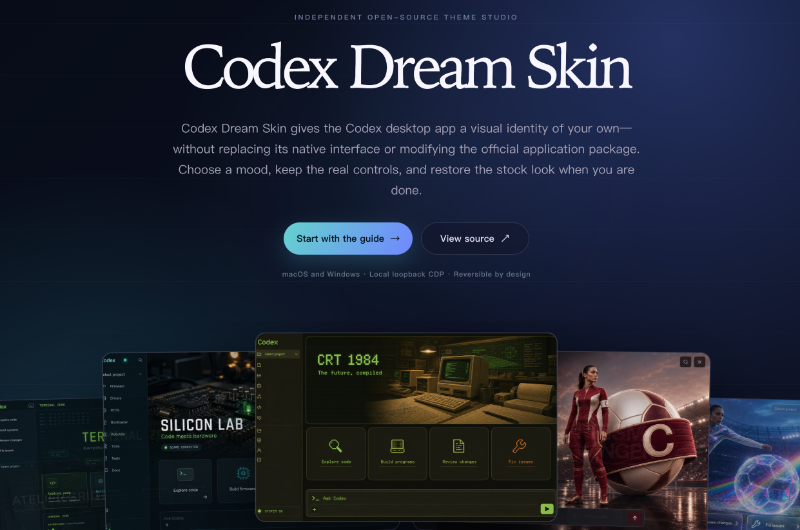
Codex Dream Skin appears to be a theming layer for Codex Desktop rather than a replacement for the app itself. Based on the analyzed sources, it focuses on visual customization while aiming to preserve a clean restore path. For AI offices like Nonilion, that distinction can be useful: teams and AI agents may share a workspace that feels more personal while still keeping the operating layer stable for collaboration.
01What Codex Dream Skin Is: A Practical Definition of Reversible Theming
Codex Dream Skin is described in the sources as an open-source theme studio for Codex Desktop on macOS and Windows. Its core idea is to apply visual themes at runtime while keeping the native interface and official application files unchanged.
Want your team to run this workflow with AI-native execution?
That makes it different from customization methods that alter installed files. The project’s framing emphasizes a theme layer rather than a replacement for the app itself, and the analyzed materials point to reversible visual change.
In practical terms, this means users can:
choose a visual style for Codex Desktop,
keep the native controls interactive,
and return to the stock appearance when needed.
The sources also point to theme galleries, custom theme creation, and guided workflows for Mac and Windows. So the product is more than a simple skin pack; it is a structured customization workflow for an AI coding environment.
02Why Reversible Theming Matters More Than Patching App Files
A main advantage of Codex Dream Skin is reversibility. The source materials contrast this approach with customization patterns such as patching installed files or using unofficial builds, which are generally harder to inspect and undo.
That matters because desktop AI tools are working environments where users depend on stable controls, predictable behavior, and a clear path back to default settings. A reversible theme layer can reduce the cost of experimentation.
The sources suggest three practical advantages:
Lower risk — the official application package remains unchanged.
Easier rollback — restore is part of the workflow.
Better clarity — users can see what the theme layer changes and what it does not.
For teams, this can be especially useful. In a shared AI office environment such as Nonilion, a reversible approach can help people personalize their workspace for focus without creating unnecessary maintenance overhead for the rest of the team or for the agents that support them asynchronously.
03How Codex Dream Skin Works: Local Loopback CDP Injection and Native Controls
The sources describe Codex Dream Skin as using local loopback Chrome DevTools Protocol injection. In plain language, the theme layer connects to Codex Desktop on the local machine through a loopback-only endpoint and applies visual styling at runtime.
The analyzed materials point to a three-layer model:
Codex Desktop launches normally.
CDP connects on loopback.
CSS changes the appearance.
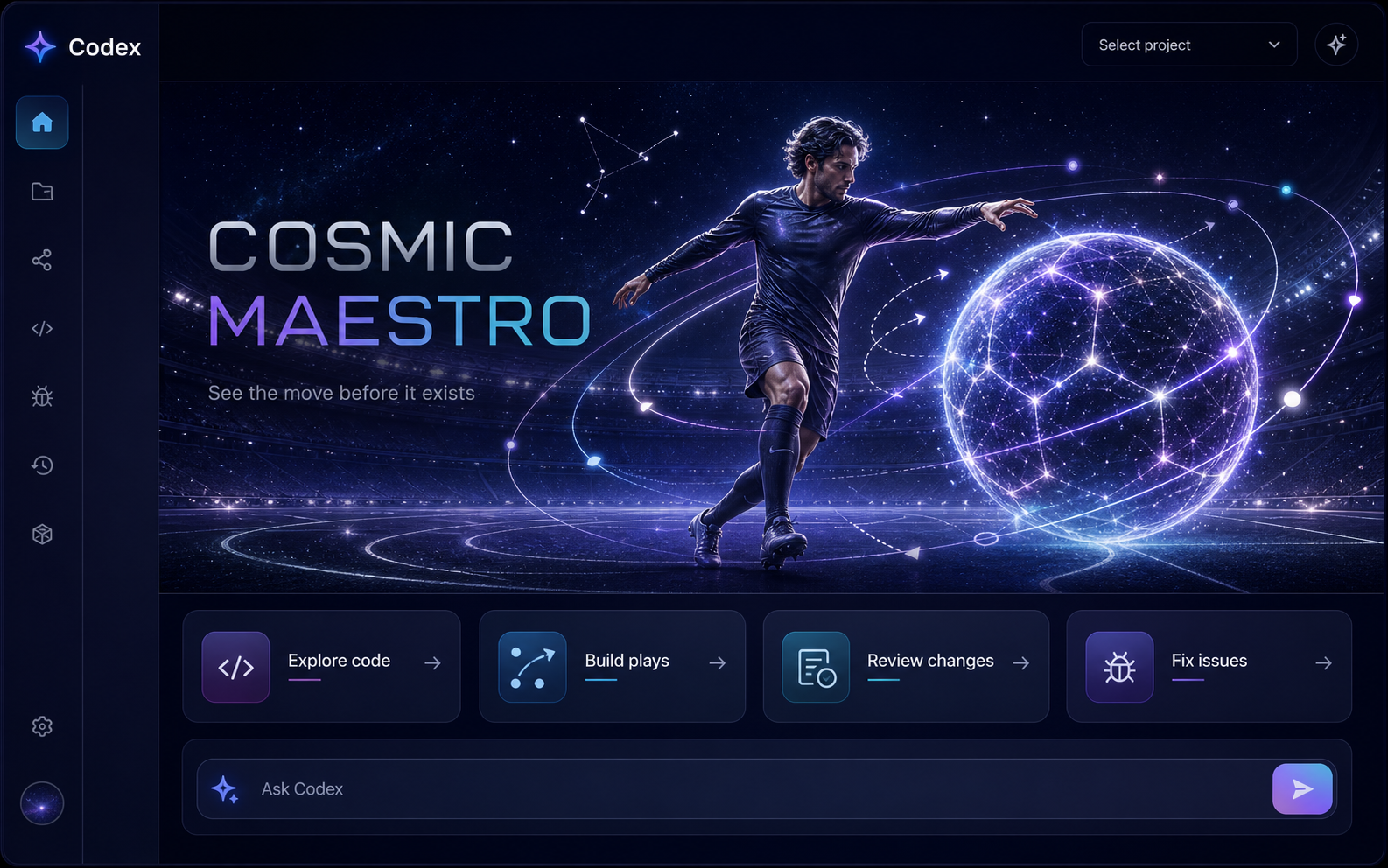
That structure helps explain why the native interface stays native. The sources note that the sidebar, project selector, suggestion cards, and input controls remain interactive while the theme is applied. In other words, the project changes the look rather than replacing the workflow surface.
A few details stand out from the source set:
the injection is local,
the official package is left untouched,
and restore is designed to be quick.
This kind of design fits modern AI office workflows. If a team is using AI agents for drafting, review, or follow-up tasks, the workspace should be adaptable without becoming fragile. Codex Dream Skin’s approach supports visual identity while preserving operational continuity.
04What to Check Before You Customize: Compatibility, Permissions, and Restore Path
Before using Codex Dream Skin, the sources suggest checking a few practical conditions. These are simple steps, but they can make the difference between a smooth customization and a confusing one.
Key checks before installation
Platform compatibility: the project supports macOS and Windows.
Permission model: the workflow should fit the platform’s normal app-launch and local connection behavior.
Restore path: verify that returning to stock appearance is available and understood.
Managed-environment fit: confirm whether the local customization approach aligns with your organization’s device rules.
The Windows guidance in the source data is especially clear about guardrails: use the official Store-installed Codex executable and do not replace or take ownership of files under WindowsApps. That suggests the project is intended to work alongside the official installation.
For AI offices, this matters because customization should not undermine coordination. In a Nonilion-style shared workspace, people may want different visual environments for deep work, but admins still need predictable recovery steps if a machine is handed off, reset, or used by an AI agent workflow.
05Install, Verify, Repair, Update, and Restore: The Plain-Language Workflow
The source materials point to a workflow that is structured around lifecycle actions, not just installation. The idea is to make customization manageable over time.
A simple workflow based on the analyzed sources
Install the platform-specific package or follow the platform workflow.
Launch Codex Desktop normally.
Verify that the local bridge connects and the theme layer appears.
Repair if the theme does not load as expected.
Update when the project or theme assets change.
Restore to return to the stock look.
The Windows skill file frames the process as applying, launching, verifying, repairing, updating, or restoring a decorative skin. The broader project pages also emphasize troubleshooting and recovery guidance.
This lifecycle mindset is useful for teams because it mirrors how AI office tooling should behave. A shared workspace should be easy to adopt, easy to check, and easy to roll back. That is especially relevant when humans and AI agents collaborate in the same environment and need a predictable interface for handoffs, review, and async execution.
06Security and Trust: What Stays Untouched and Why That Matters
Security in the source set is presented through restraint. Codex Dream Skin binds its injection service to the local loopback interface, which means the connection is local rather than remote. The sources also state that the official application files stay untouched and that API provider settings remain untouched.
That combination matters because it narrows the scope of change. The project changes appearance through a local runtime layer instead of modifying the app package itself. In the materials analyzed, that is one reason the project is framed as reversible by design.
The trust story is therefore not that nothing changes. It is more specific than that:
the visual layer changes,
the native app remains intact,
and the restore path is built in.
For organizations and AI offices, that is a meaningful distinction. If Nonilion uses AI agents to support team coordination or meeting follow-ups, a stable and reversible desktop surface can help keep the human + AI collaboration layer organized. The workspace can be personalized without creating uncertainty about what the software is doing under the hood.
07Who Benefits Most: Individuals, Teams, and Admins
The sources suggest that Codex Dream Skin may be useful to more than one type of user. Its value can vary depending on whether the priority is personal expression, team consistency, or administrative control.
Best-fit audiences based on the source material
Individual developers who want a visual identity for long sessions in Codex Desktop.
Design-minded teams that care about atmosphere, legibility, and shared workspace identity.
Admins and operators who need controlled customization with a clear rollback path.
The project’s gallery approach and custom theme workflow may appeal to people who want to tune the mood while keeping the real controls. That can be a good fit for AI workflows where the interface is part of the work environment, not just a container for it.
In a this platform context, this matters because AI offices often need both consistency and flexibility. Humans may prefer different visual setups for deep work, while AI agents may be orchestrating tasks, summaries, or follow-up actions in the background. A reversible theme layer can support that balance without forcing a single visual standard on everyone.
08How Theme Choice Affects AI Work and Shared Workspace Identity
The sources do not claim that themes improve model quality or output accuracy. What they do support is a more limited point: visual environment can affect how people experience the work.
A theme can influence:
focus and attention,
context switching,
and the sense of shared workspace identity.
That is relevant in AI-assisted work, where users may move between prompting, reviewing, editing, and coordinating. A calmer or more expressive interface can make the workspace feel more intentional while still preserving the same native controls underneath.
For this platform, this is the practical bridge between design and operations. If humans and AI agents are collaborating in one shared workspace, the interface should support clarity, not distraction. Codex Dream Skin’s reversible theming model suggests one way to personalize the environment without fragmenting the operating layer that the team depends on.
09What Codex Dream Skin Means for AI Offices Like this platform
Codex Dream Skin is a useful example of how AI offices can think about customization more strategically. The project shows that personalization does not have to mean breaking the shared system, replacing official files, or creating an irreversible fork.
That is relevant to this platform as an AI office model. A shared workspace needs room for human preference, but it also needs a stable base for AI agents, async execution, and team coordination. Reversible theming is a small but meaningful example of how human + AI collaboration can stay adaptable without becoming chaotic.
In that sense, Codex Dream Skin is not just about appearance. It is about workspace governance:
customize where it helps focus,
preserve the official layer where trust matters,
and keep restoration simple enough that teams will actually use it.
10When to Use It, When to Avoid It, and What Alternatives Make More Sense
Based on the analyzed sources, Codex Dream Skin makes the most sense when the goal is visual customization of Codex Desktop while keeping the official app intact. It is designed for users who want expressive themes, native controls, and a reversible workflow.
your environment does not allow local customization tools,
you need a fully standardized interface across all users,
or you are looking for a different kind of AI agent platform rather than a theme layer.
The source set also points to alternative discovery pages and review-style listings, which suggests that users may compare Codex Dream Skin with other AI agent or desktop customization options. But the key distinction remains: this project is a reversible theme studio, not a replacement for Codex Desktop itself.
11Troubleshooting and Recovery: A Clean Rollback Mindset
The project materials emphasize troubleshooting, verification, and recovery. That is important because even reversible systems need a disciplined workflow.
Common checks implied by the sources
confirm the local bridge connects,
verify that the theme layer loads,
check that the official app is launching normally,
and use restore if the interface does not behave as expected.
The recovery mindset is central here. Instead of treating customization as a permanent commitment, Codex Dream Skin treats it as an editable layer. That lowers the pressure to get everything perfect on the first try.
For AI offices, this is a practical model. In a shared environment like this platform, the best tools are the ones that can be tested, verified, and rolled back without interrupting collaboration between people and AI agents.
12Future of AI Offices: Personalization Without Breaking the Shared Operating Layer
The future of AI offices will likely depend on a simple balance: enough personalization to support focus, enough standardization to preserve coordination. Codex Dream Skin points to one way that balance can work in practice.
Its reversible theming model shows that the workspace can be expressive without becoming unstable. The official app remains official, the native controls remain native, and the visual layer can be changed or removed as needed.
That is a useful pattern for this platform and similar AI office environments. As human teams and AI agents share more of the same workspace, the design challenge is not just making tools look better. It is making them adaptable, legible, and reversible so collaboration stays smooth.
13Key Takeaways
Codex Dream Skin is best understood as a theme layer for Codex Desktop on macOS and Windows. Based on the analyzed sources, it uses local loopback CDP injection to change appearance at runtime while leaving official files untouched and preserving a restore path.
That makes it relevant for AI offices: it supports personalization without sacrificing shared control. For this platform, the lesson is broader than theming. Human + AI collaboration works best when the workspace can adapt to individual focus while keeping the underlying operating layer stable, inspectable, and easy to roll back.
14Why This Trend Matters for Nonilion
This trend matters to Nonilion because it points to a bigger change: teams are moving from simple calls toward persistent, AI-supported collaboration spaces. Nonilion can bridge live presence, meeting context, avatars, and follow-up work so the trend becomes a usable workflow instead of a headline.
15Shareable Extracts
The trend is not just "Codex Dream Skin: Reversible Themes for Codex Desktop Without Breaking the Workflow" - it is a signal that team coordination is becoming the next competitive edge.
Hot take: the teams that win from this shift will not be the ones with more meetings; they will be the ones with clearer shared context after every meeting.
If codex dream skin: reversible themes for codex desktop without breaking the workflow keeps moving this fast, remote teams need a workspace where conversation, presence, and follow-up stay connected.
Codex Dream Skin: Reversible Themes for Codex Desktop Codex Dream Skin appears to be a theming layer for Codex Desktop rather than a replacement for the app itself.
Based on the analyzed sources, it focuses on visual customization while aiming to preserve a clean restore path.
16Social Hooks
Everyone is talking about Codex Dream Skin: Reversible Themes for Codex Desktop Without Breaking the Workflow. The overlooked part is what happens to team workflows after the headline fades.
The uncomfortable question behind Codex Dream Skin: Reversible Themes for Codex Desktop Without Breaking the Workflow: are teams adapting their collaboration systems fast enough?
This is not a meeting trend. It is a coordination trend, and products like Nonilion sit right in the middle of that shift.