





virtual coworking
A way to exclude sensitive files issue still open for OpenAI Codex
A way to exclude sensitive files issue still open for OpenAI Codex Teams adopting AI coding agents are asking a practical question: how do you keep sensitive files out of the agent
A way to exclude sensitive files issue still open for OpenAI Codex
Teams adopting AI coding agents are asking a practical question: how do you keep sensitive files out of the agent’s reach? Based on the sources reviewed, the issue is still being discussed in OpenAI Codex channels, and one report raises concern that Codex may upload files in ways users do not expect, even when they try to rely on .gitignore or AGENTS.md.
That matters because AI agents are no longer just autocomplete tools. They are increasingly part of shared workspaces, task execution, and human + AI collaboration. In an AI office model like Nonilion, where people and agents may work in the same workspace, file boundaries are not a minor detail — they are part of the operating model.
Want your team to run this workflow with AI-native execution?
01What the Codex file-exclusion issue means for teams using AI agents
The core issue, as reflected in the discussion, is not only convenience. It is about whether teams can keep certain files outside an agent’s working context.
The issue title itself — “A way to exclude sensitive files · Issue #2847 · openai/codex” — shows that file exclusion is a real need for some users.
For engineering leaders, the practical takeaway is simple: if your workflow depends on Codex, you should understand how the agent’s access model fits your internal security expectations.
00Why .gitignore and AGENTS.md may not be enough: the current gap in file exclusion controls
The reviewed sources point to a gap between what teams may expect and what they can enforce today. One source says the user could not prevent Codex from uploading all files regardless of .gitignore or AGENTS.md.
That is important because these mechanisms are often used as a first layer of file hygiene. But based on the sources, they may not be a complete answer to sensitive-file exclusion in Codex.
A separate issue, “Configurable file exclusion patterns for sensitive files #1397,” asks for support for configurable ignore patterns at both global and project levels. That suggests some users want clearer exclusion controls.
In other words, the question is not only about one file type. It is about whether teams can define boundaries for agent access that match their policies.
00What sensitive-file exposure can look like in practice: .env files, secrets, credentials, and internal docs
The sources mention .env files directly in the Reddit discussion: “Disallow codex read .env”.
That is a useful example because .env files often contain secrets or credentials. If an AI agent can read or upload them without a reliable exclusion mechanism, the risk is clear. But the concern can extend beyond .env.
Based on the issue framing around sensitive files, teams may want to think about:
.envfiles- secrets
- credentials
- internal documentation
- other repository files that should not be exposed to an agent
The point is not that Codex is uniquely risky in every environment. The point is that file visibility should match the sensitivity of the workspace.
04Why this is more than a Codex bug: governance, permissions, and the scope of agent access
This issue is bigger than a single product bug because it touches three layers at once:
- Governance — what the organization allows an AI agent to access
- Permissions — what the workspace technically permits
- Scope — how much of the repo or project context the agent can consume
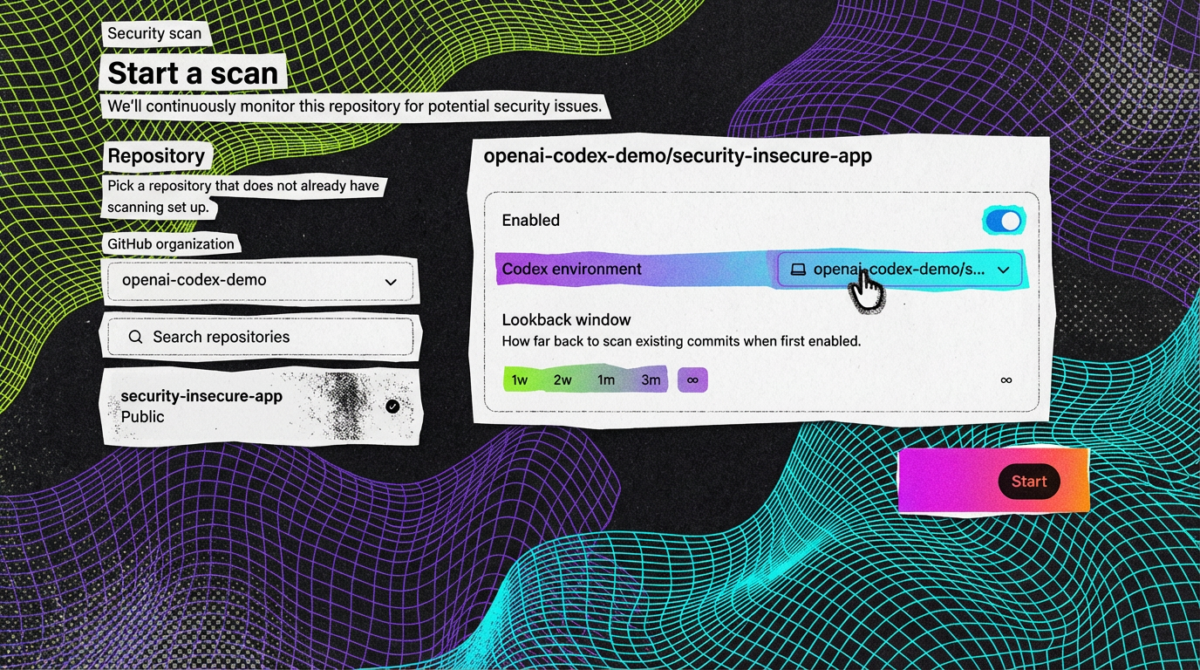
The Codex Security documentation shows that Codex Security scans connected repositories and builds scan context from the repo. It also references sandboxing, approvals, network controls, and admin settings in the broader security context.
That means the right question is not only “Can Codex scan?” but also “What is the approved boundary for scanning, reading, and acting?”
For teams using AI agents, this is similar to human collaboration: not every person, process, or tool should have the same access.
05How teams can reduce risk today: repo segmentation, secret relocation, environment isolation, and access minimization
The reviewed sources do not provide a full workaround for Codex file exclusion, so a cautious approach is to reduce exposure by design.
The Reddit source offers one direct suggestion: if hooks are not possible, move the env out of the repository.
From that and the broader issue framing, teams can consider the following risk-reduction steps:
- Repo segmentation: keep sensitive material in separate repositories or outside the repo when possible
- Secret relocation: move
.envand similar sensitive data out of the repository - Environment isolation: separate what the agent can access from what humans can access in sensitive contexts
- Access minimization: give the agent only the workspace and files it truly needs
These steps do not solve the product issue itself, but they can lower exposure if the agent’s file scope is broader than expected.
06A practical decision tree for engineering leaders: when to allow Codex, when to sandbox it, and when to keep it out
A useful way to think about rollout is to ask three questions:
1. Does the workspace contain sensitive files?
If yes, treat file exclusion as a requirement, not a nice-to-have.
2. Can you isolate the sensitive material outside the agent’s working area?
If yes, that may make limited use of Codex more reasonable.
3. Do you have a clear control boundary for approvals and access?
If no, the safer choice is to keep the agent out of that workspace or sandbox it tightly.
A simple decision tree:
- Allow Codex when the repo is low sensitivity and the team understands the current access scope
- Sandbox Codex when the repo is useful but contains mixed-sensitivity content
- Keep Codex out when you cannot reliably separate secrets, credentials, or internal documents from the agent’s context
This is especially important in AI offices, where agents may participate in multiple workflows at once.
07What to audit before rollout: files, folders, tokens, branches, approvals, and human review points
Before introducing Codex into a team workflow, audit the workspace with a security-first lens.
Check:
- Files:
.env, secrets, credentials, internal docs - Folders: any directory that should never be in agent context
- Tokens: whether credentials are stored in-repo or externally
- Branches: whether the agent is limited to safe branches or environments
- Approvals: whether there are explicit controls for agent actions
- Human review points: where a person must inspect outputs before changes move forward
This matters because the Codex Security docs emphasize approvals and admin settings in the security model. For teams, that means rollout should be treated as a controlled process, not a blanket enablement.
08How other AI coding tools handle exclusion patterns and what teams can learn from the comparison
One of the open issues explicitly references “Implementation Examples from Other Tools” and asks for configurable ignore patterns at both global and project levels.
The Reddit discussion also mentions that in Claude, users can use hooks to prevent any file from being read.
Based on the reviewed sources, the comparison point is not that one tool is definitively better in every respect. Rather, it shows that teams value explicit exclusion patterns and preventive controls when AI tools touch source code and adjacent files.
The lesson for Codex users is clear: if your workflow depends on agent access, you should evaluate whether the tool offers the level of exclusion control your policy requires.
09What this means for AI offices like Nonilion: shared workspaces, async execution, and human + AI collaboration with clear boundaries
In an AI office model like Nonilion, the file-exclusion issue becomes a workflow design problem. Shared workspaces, async execution, and human + AI collaboration can be powerful — but only if the workspace boundaries are explicit.
If a team uses one workspace for meeting follow-ups, task handoff, and agent execution, then the question is not just what the agent can do. It is what the agent can see while doing it.
That is why the open Codex issue matters in an AI office context: the same workspace that helps humans and agents collaborate efficiently can also blur the line between operational files and sensitive files.
10How Nonilion-style workflows change the security model: meeting follow-ups, task handoff, and agent permissions in one workspace
Platform-style workflows make the security model more integrated. A meeting follow-up may turn into an async task. A task handoff may become an agent execution step. A human reviewer may approve the result later.
That flow is efficient, but it also means permissions must travel with the work.
If an AI agent is used for:
- meeting follow-ups
- async execution
- workflow automation
- team coordination
then its access should be constrained to the minimum workspace required for that task. Otherwise, the collaboration model can outgrow the security model.
This is why file exclusion is not a side issue. It is part of how an AI office defines safe collaboration.
11Where file exclusion fits in the future of AI offices: workspace policy, collaboration controls, and secure agent operating models
The open issue around Codex file exclusion points to a broader need: workspace policy.
As AI offices evolve, teams will likely need controls for:
- what an agent can read
- what it can upload
- what it can modify
- what requires human approval
- what must remain outside the shared workspace
That is the operating model question behind the technical issue. If AI agents are part of daily work, then secure collaboration depends on clear rules for context, access, and review.
In that sense, the file-exclusion gap is a reminder that AI offices need collaboration controls that are as intentional as their task automation.
12A safe-adoption checklist for teams using AI agents in collaborative environments
Use this checklist before rolling out Codex or similar agents:
- Confirm whether sensitive files exist in the repo
- Identify
.envfiles and other secret-bearing files - Move sensitive environment data out of the repository when possible
- Review whether
.gitignoreorAGENTS.mdare sufficient for your policy needs - Check whether the tool supports stronger exclusion controls
- Limit the agent to the smallest practical workspace
- Define approval steps for any agent-generated changes
- Keep human review in the loop for sensitive workflows
- Separate low-risk and high-risk projects where possible
- Reassess permissions as the workflow expands
This checklist is especially relevant in shared AI office environments where one workspace may serve multiple people and multiple agents.
13Conclusion: the right question is not just whether Codex can exclude files, but how your team defines safe AI access
The open issue is not only about one missing feature. It is about how teams want AI agents to operate inside real workspaces.
Based on the reviewed sources, Codex users are still asking for more reliable file exclusion controls, including configurable ignore patterns and stronger ways to prevent sensitive files from being uploaded or read. Until that gap is closed, teams should treat access design as part of deployment design.
For an AI office like this platform, the lesson is practical: human + AI collaboration works best when workspace boundaries are clear, async execution is scoped, and agent permissions are intentionally limited. Safe adoption is not just about what the model can do — it is about what the office allows it to touch.
14Why This Trend Matters for Nonilion
This trend matters to Nonilion because it points to a bigger change: teams are moving from simple calls toward persistent, AI-supported collaboration spaces. Nonilion can bridge live presence, meeting context, avatars, and follow-up work so the trend becomes a usable workflow instead of a headline.
15Shareable Extracts
- The trend is not just "A way to exclude sensitive files issue still open for OpenAI Codex" - it is a signal that team coordination is becoming the next competitive edge.
- Hot take: the teams that win from this shift will not be the ones with more meetings; they will be the ones with clearer shared context after every meeting.
- If a way to exclude sensitive files issue still open for openai codex keeps moving this fast, remote teams need a workspace where conversation, presence, and follow-up stay connected.
- A way to exclude sensitive files issue still open for OpenAI Codex Teams adopting AI coding agents are asking a practical question: how do you keep sensitive files out of the agent’s reach?
- Based on the sources reviewed, the issue is still being discussed in OpenAI Codex channels, and one report raises concern that Codex may upload files in ways users do not expect, even when they try to rely on .gitignore or AGENTS.md.
16Social Hooks
- Everyone is talking about A way to exclude sensitive files issue still open for OpenAI Codex. The overlooked part is what happens to team workflows after the headline fades.
- The uncomfortable question behind A way to exclude sensitive files issue still open for OpenAI Codex: are teams adapting their collaboration systems fast enough?
- This is not a meeting trend. It is a coordination trend, and products like Nonilion sit right in the middle of that shift.
17Sources and Author
Sources
-
A way to exclude sensitive files · Issue #2847 · openai/codex github.com/openai/codex/issues/2847
-
Disallow codex read .env www.reddit.com/r/codex/comments/1s0vaea/disallow_codex_read_env/
-
A way to exclude sensitive files · Issue #2847 · openai/codex x.com/about_hiroppy/status/2054355397449060620
-
Configurable file exclusion patterns for sensitive files #1397
Author
This article on A way to exclude sensitive files issue still open for OpenAI Codex was generated by the Nonilion AI blog workflow using web research inputs and AI-assisted synthesis.